
Privacy isn’t a luxury. It’s your right.

What many ad-funded apps do with your data behind the scenes, what terms like ad ID and data broker actually mean – and why with my apps, none of it needs to sit in the back of your mind.
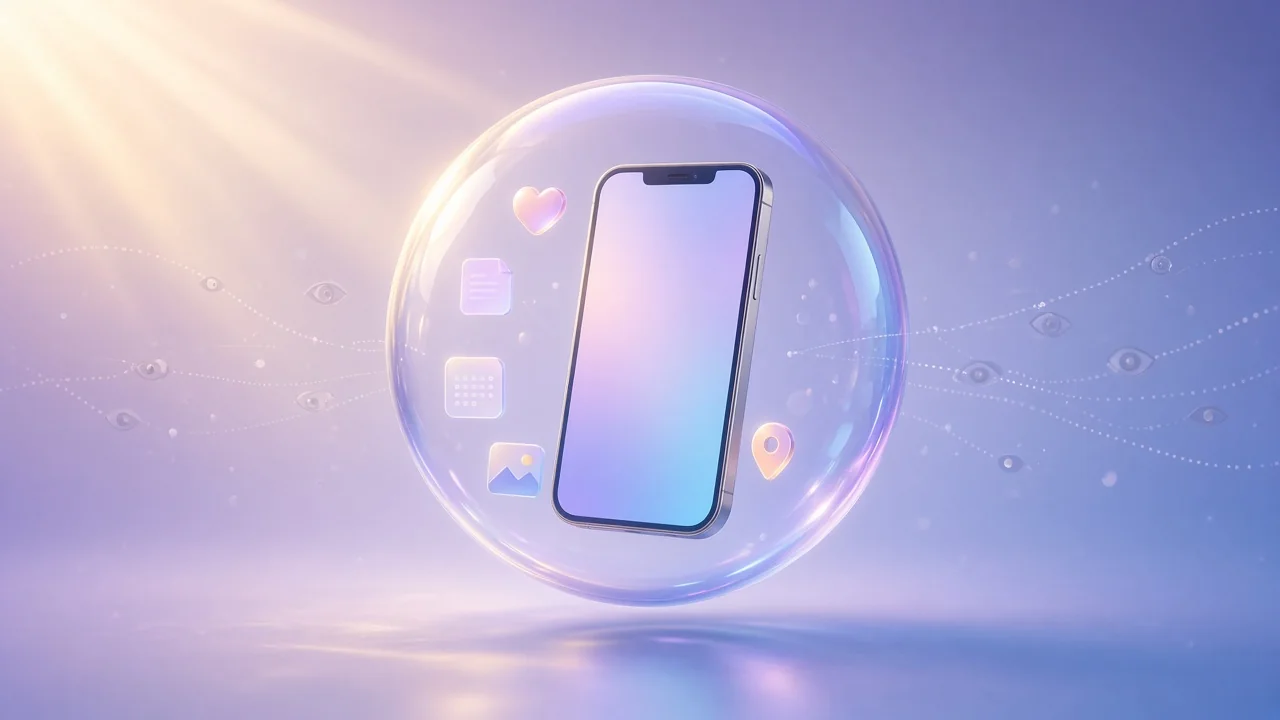
Illustration: a smartphone rests safely inside a shimmering glass sphere. Personal symbols like a heart, a note, a photo, a calendar and a location pin stay close to it, while fine lines of data fade away outside.

You download a free weather app, a little game for the bus ride, a handy recipe planner. A few days later, on a completely different website, you see an ad that fits you surprisingly well. Coincidence? Sometimes. Often, though, there's a system behind it that you never knowingly switched on.

In this article, I'll walk you through how that system works, what terms like ad ID and data broker actually mean, and how I do things differently with my apps. Not to scare you. Just so you know what to look out for – and so you can simply relax when you use my apps.

Why “free” sometimes still comes at a price

Many apps and services from big tech companies are paid for by advertising. Ads earn more the better they fit you, and that takes data: what you look at, where you go, what you're into. That's why many ad-funded apps collect more than they need to do their actual job. Often this happens through building blocks from other companies that are tucked inside the app, where you never see them.

Here's how Apple defines tracking: information from an app that identifies you or your device is linked with information collected on apps, websites and other places owned by third parties, for targeted advertising or advertising measurement. Or the information is shared with data brokers.1

The key terms in plain English

Tracking
Following what you do across apps and websites owned by different companies – usually to target you with ads or measure how well ads work.1
Ad ID (IDFA)
An advertising identifier on your iPhone that ad networks can use to recognise you across apps. If you ask an app not to track, it can't access it.1
Tracking SDK
A ready-made chunk of code from another company that developers drop into their app, for example for statistics or ads. It runs invisibly in the background and can send data to that company's servers.
Profile
Lots of small data points add up to a picture of you: interests, habits, places you go. The GDPR calls the automated evaluation or prediction of such personal aspects “profiling”.2
Data broker
Companies that collect information about people from many sources, combine it and pass it on – usually without ever dealing with those people directly. The US Federal Trade Commission found that this largely happens without consumers' knowledge.3

A day in your life – through a tracker's eyes

Picture an ordinary Tuesday. You don't notice a thing, but in the background someone is taking notes. Not every app does this, and it doesn't always play out exactly like this. But this is how it can go:

Typical scenario · simplified · not about any specific app or company

  1. The weather app in the morning. You allowed it to use your location so it can show the weather outside your door. A built-in ad component reports along with it: device with ad ID 3F9A… is at this spot at 7:10 am. At that hour – probably your home.
  2. On the train. You quickly open a news app. New location, same identifier. A pattern starts to form: probably your commute.
  3. Lunch break. In a shopping app you look at running shoes. Noted: interest “running” – again with the same ad ID.
  4. After work. An ad pops up in a free game. For exactly those running shoes. Two apps that have nothing to do with each other – linked by a single identifier.
  5. One last read. You look up tips for back pain. The time and the topic go into the same record.

What can emerge after just one day

  • Probably lives here, probably works there
  • Commutes by train around 8 am on weekdays
  • Interests: running, sports
  • Goes to bed late
  • Possible health topic: back pain

No single step feels dramatic. Together, they paint a pretty precise picture of you. And that's just one day. Stiftung Warentest explains that once things like location data are added to the ad ID, it becomes possible to identify the people behind the number. Databases then hold information such as where a person was and when, or what they bought and where.4

How tracking across apps works

1 · SDKs

Ready-made code from other companies, for ads or statistics for example, runs inside many apps. That's why Apple requires developers to include the practices of third-party partners whose code they integrate in their privacy details.5

2 · The ad ID

An advertising identifier on your iPhone. Because it's the same in every app, events from completely different apps can be tied to one device.4 If you ask an app not to track, it can't get it.1

3 · Fingerprinting

Trying to recognise a device without the ad ID – from traits like the device, its settings and configuration. Apple explicitly forbids app developers from deriving data from a device for this purpose.6

4 · Data brokers

They combine online and offline data from many sources, and data often passes through several brokers who share it with each other.3

What a profile can reveal

From data like this, data brokers draw conclusions about people – according to the US Federal Trade Commission, including sensitive ones such as income, religion, political leanings, age or health.3 By combining location data with the ad ID, data brokers can build individual movement profiles, warns the data protection commissioner of North Rhine-Westphalia.7 Back in 2014, the then FTC Chairwoman put it plainly: data brokers often know as much about us as our family and friends – or even more.3

And now the good news.

Hold this scenario up against my apps – and nothing of it is left. My apps don't request the ad ID. No third-party analytics, attribution or tracking SDK is taking notes. No ad finds you again in the evening. And I don't sell your content or pass it on. Whatever you put into GemDot, Kassio, Prismday or iFocus Plus stays with you.
How it often works – and how I do it

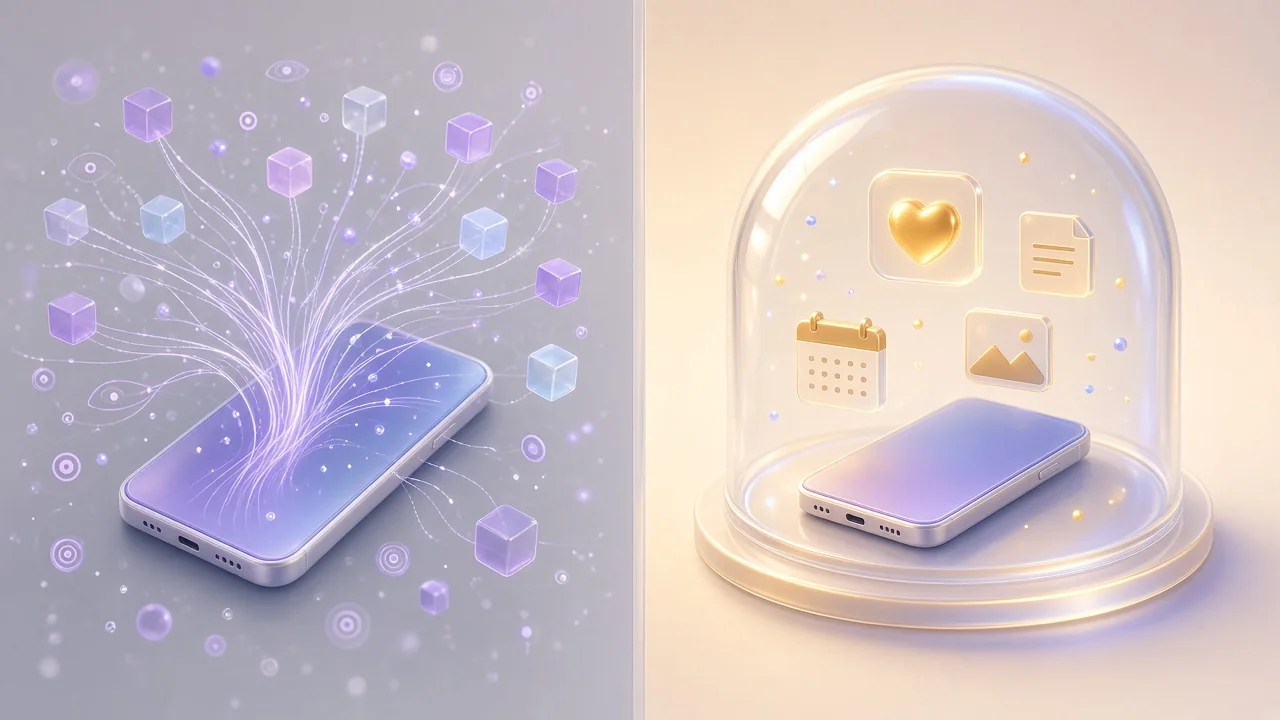
Illustration in two halves: on the left, fine lines of data stream out of a smartphone in every direction. On the right, the same smartphone rests safely under a glass dome, with personal symbols like a heart, a note, a photo and a calendar staying right beside it.
Left: data drifting off in every direction. Right: data that stays with you.
Tracking
Your activity is followed across apps and websites and pieced together into a picture of you.
No tracking. My apps don't request the advertising ID, so they never show you an “App Tracking” prompt.
Ads
Personalised ads, calculated from how you behave.
No ads. No banners, no videos, no “sponsored” content, no ad networks.
SDKs
Analytics and ad components from other companies quietly send data to their servers.
No third-party SDKs. I don't build any third-party analytics, attribution or tracking SDKs into my apps.
Sharing
Data is shared with partners or ends up with data brokers.
No data sales. Your content isn't a business model. I don't sell it and I don't pass it on.
Storage
Your content lives on the company's servers, often behind a mandatory account.
With you. Everything is stored locally on your device or – if you turn it on – in your private iCloud storage. You don't need an account with me.
Design
Endless scrolling and little tricks designed to keep you hooked.
No dark patterns. No fake urgency and no tricks designed to keep you in the app longer than you want.

What this means for you with my apps

With GemDot, Kassio, Prismday and iFocus Plus, you can put all of this out of your mind. Your habits, your spending, your moods, your tasks and notes are your business – not my business model.

  • No tracking prompt, because there's nothing to ask. My apps never request the ad ID in the first place.
  • Nothing running in secret. No ad networks, no third-party analytics or tracking SDKs.
  • Your data stays with you. On your device or, if you want, in your private iCloud storage.
  • Offline first. My apps are built to work without internet. Sync is an option, not a requirement.
  • No account needed. No email address, no sign-up.

In the spirit of full transparency

  • Downloads and purchases go through Apple, which processes data under its own terms.
  • If I receive crash reports at all, they come anonymised via Apple – and only if you've agreed to share analytics in your iOS settings.
  • If you like, Kassio can load the icon of a website you add to a subscription. It fetches it directly from that website, without cookies. As with any website visit, the site technically sees your IP address.
  • For every app, its App Store privacy details and its privacy policy are what count. That's where you'll find everything in detail.

Five minutes to more privacy on your iPhone

💡 My tips – for every app on your iPhone:

  1. Turn off tracking requests. Settings › Privacy & Security › Tracking › switch off “Allow Apps to Request to Track”. Any app that asks will then be treated as if you'd tapped “Ask App Not to Track”.1
  2. Take a quick look before you download. On every app's App Store page, the “App Privacy” section shows what data the app collects – such as “Data Used to Track You” or “Data Linked to You”.8
  3. Share your location only when it's needed. Settings › Privacy & Security › Location Services: for each app, choose “Never”, “Ask Next Time Or When I Share” or “While Using the App”. Turn off “Precise Location” when an approximate location will do.9
  4. Share photos selectively. Under Settings › Privacy & Security › Photos, decide for each app whether it can see all your photos, only the ones you pick, or none at all.
  5. Turn on App Privacy Report. Settings › Privacy & Security › App Privacy Report › “Turn on App Privacy Report”. From then on you can see when apps access things like your location, camera or microphone, and which domains they contact.10

Labels may differ slightly depending on your iOS version.

Everyone has a right to privacy

Privacy isn't a bonus for people who “have something to hide”. It's a human right. Article 12 of the Universal Declaration of Human Rights says: “No one shall be subjected to arbitrary interference with his privacy […]”.11 The EU's GDPR explicitly protects your right to the protection of your personal data.12 And if a company uses your data for direct marketing, you can object at any time.13

I build my apps the way I'd want to use them myself: calm, helpful and with no hidden agenda. Open the app, do what you came to do, then put your iPhone down feeling good about it. Your plans, habits and thoughts are nobody else's business. It's that simple.

Questions about your data in one of my apps? Just email me at [email protected].

Sources

  1. Apple Support: If an app asks to track your activity
  2. GDPR, Art. 4(4): Definitions – “profiling”
  3. US Federal Trade Commission (2014): FTC Recommends Congress Require the Data Broker Industry to be More Transparent and Give Consumers Greater Control Over Their Personal Information
  4. Stiftung Warentest (in German): Werbe-ID im Smartphone abschalten
  5. Apple Developer: App Privacy Details
  6. Apple Developer: User Privacy and Data Use
  7. Data protection commissioner of North Rhine-Westphalia (in German): Standortdaten
  8. Apple Support: About privacy information on the App Store and the choices you have to control your data
  9. Apple Support: Turn Location Services and GPS on or off on your iPhone, iPad, or iPod touch
  10. Apple Support: About App Privacy Report
  11. United Nations: Universal Declaration of Human Rights, Article 12
  12. GDPR, Art. 1: Subject-matter and objectives
  13. GDPR, Art. 21: Right to object

Apps that leave you in peace.

No tracking, no ads, no data sales. Have a look at my apps and read what I stand for.