

 iFocus PlusFocus4 min read
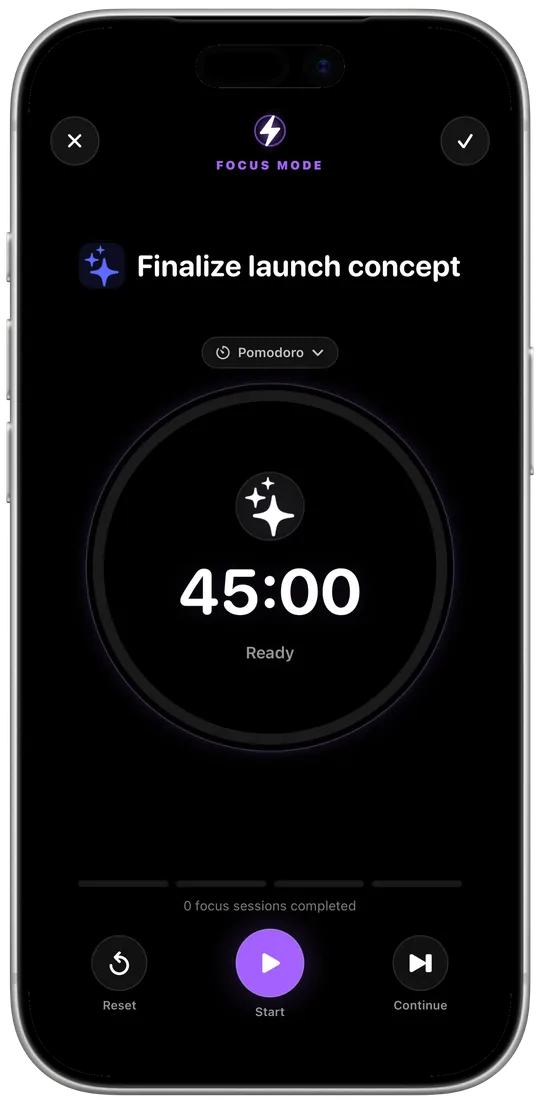
Focus with a system: Pomodoro and stopwatch in iFocus Plus
Why fixed work sessions work so well, and how to make iFocus Plus’s focus mode your own.
Read moreNothing found. Try another word – or write to me directly.
Tip: ⌘K or Ctrl+K opens search anywhere.
iFocus PlusNotes & data5 min readGroups, pins and full-text search for your notes. Plus: working offline, private iCloud sync, export and backups.
Notes are only as good as your chance of finding them again. That’s why notes in iFocus Plus aren’t an afterthought but a section of their own – with everything you need to collect thoughts and pull them up quickly later.
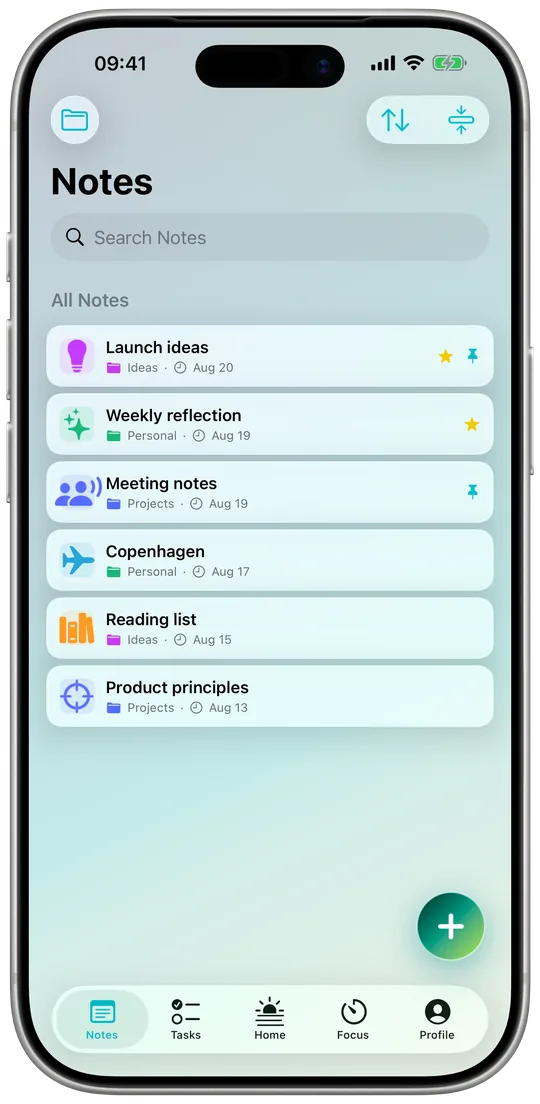
💡 My tip: Pin a note called “Idea inbox”. Everything that comes to mind on the go goes there – once a week you sort it into the right groups.
iFocus Plus works fully without the internet. Your tasks, events and notes live on your device – on the train, on a plane or in a dead zone, you have everything with you.
To keep iPhone and iPad on the same page, iFocus Plus syncs through your own private iCloud. There’s no account with me and no server of my own. I can’t see your content – it only travels between your devices.
Your data is yours, so you can take it with you: content can be exported as CSV (a table, e.g. for Numbers or Excel), PDF or PNG (image). On top of that, you can create backups to restore everything later.
No tracking, no ads, no account – just a planner that belongs to you.
$12.99 · one-time purchase, no subscription
 iFocus PlusFocus4 min read
Why fixed work sessions work so well, and how to make iFocus Plus’s focus mode your own.
Read more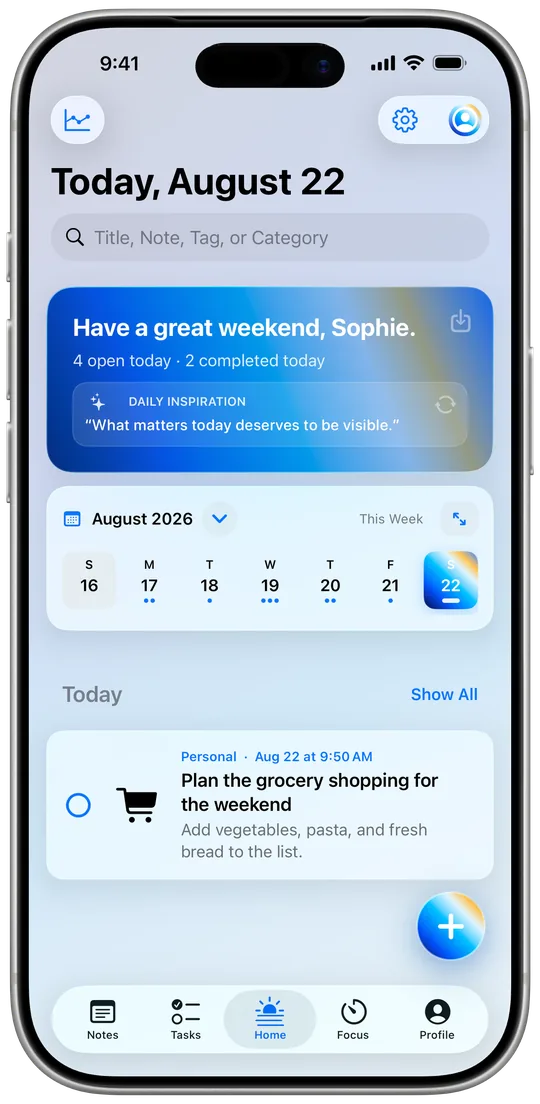 iFocus PlusPlanning4 min read
How the Today view, the calendar and three widget types tell you in seconds every morning what’s ahead.
Read more